
This article applies to customers on our app.contentsquare.com platform. Not sure which platform you’re on? Check your browser URL. If you see insights.hotjar.com, visit this article instead.
Omniconvert is a customer intelligence platform designed for retailers to optimize the entire customer journey from acquisition to retention. It provides A/B testing, customer segmentation, and lifetime value optimization tools, helping ecommerce businesses understand customer behavior, improve conversion rates, and build long-term relationships that drive sustainable revenue growth.
Before you begin
This integration will allow you to analyze client-side AB Test campaigns directly in Experience Analytics and easily discover and explore customer behavior across all digital channels and devices in order to build and test ever-better customer experiences.
For instance, you can segment all sessions that experienced an AB test variation from the Analysis Context in Contentsquare and see corresponding metrics in Zone-based Heatmaps and Session Replay modules in order to deeply understand UX behaviors and the corresponding performance.
Finally, you can target surveys based on Omniconvert experiments.
Note that this integration also supports multi-page tests.
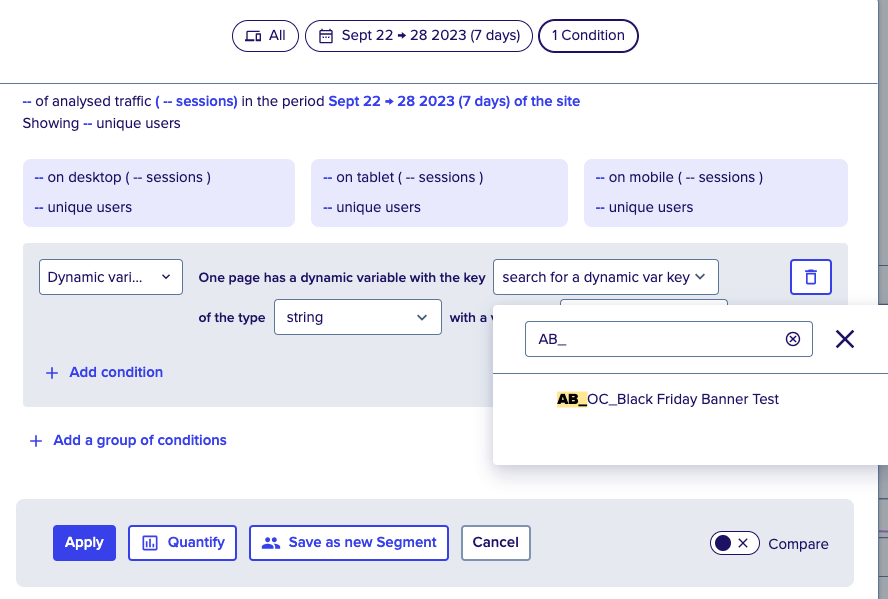 We collect the following data:
| Key | Value | Data Type |
| AB_OC_{Campaign Name} | {Variation 1} | Text |
Implementation
Implementation Steps
Please go to the section How to request an integration to see the instructions to enable the client-side integration. You can then go to the Verifying it works section below.
If you have already completed the step above, then continue below.
Verifying it works
You can use the Chrome extension to check that the results are sent to Contentsquare.
How to target Surveys based on Omniconvert experiments
Omniconvert experiments are passed to us as Events that can then be used to target Surveys. This means if you'd like to run a survey or collect a list of user testers on a specific variation that you're testing, you can use Events.
- Create a survey.
- In the Targeting section, select 'Specific pages' and choose 'Event' from the dropdown menu.
- Enter an event name in the Event field for an Omniconvert variation.
You can enter any string that describes the variation you're testing.
Your string follows the formatOC_experiment-variation, where you need to replace experiment and variation with your actual experiment and variation names.
For example: OC_My-Experiment-Test-Variation-A
Note
You can add more Event triggers for other variations by clicking 'Add another', ensuring that you use a different event name for each variation.